
Facebook Page Comment Auto Reply: Step-by-Step Setup (2026)
How to set up automatic replies to Facebook Page comments in 2026, with Meta's built-in options and with comment-to-DM automation that sends a link to every commenter.


To auto-reply to Facebook Page comments, use a comment automation tool that connects through Meta's official API. You pick a post, choose a keyword (or any comment), write a short public reply and a private message with your link, and switch it on. Every matching comment then gets a reply and a DM within seconds.
This guide covers the options and a step-by-step setup.
Your options for Facebook comment auto replies
| Option | What it does | Good for |
|---|---|---|
| Meta Business Suite automations | Automated responses mainly for messages (greetings, away messages, FAQs) | Answering inbox messages |
| Comment-to-DM tools (e.g. Foxli AutoDM) | Reply publicly to comments and send the commenter a private message with a link | Offers, price lists, lead magnets, bookings |
| Manual replies | You answer each comment | Low volume, sensitive topics |
If your goal is "someone comments → they get the link", you need comment-to-DM automation.
Step-by-step: Facebook comment auto reply with Foxli
1. Connect your Facebook Page
In Channels, add Facebook and select your Page through Meta's official login.
2. Create an automation and switch to your Page
Open Auto DM → Create automation. Under Select Connected Channel, click Switch channel and choose your Facebook Page.
3. Choose which posts trigger it
- A specific post or reel: target one offer post.
- Any post or reel: auto-reply across all current and future posts.
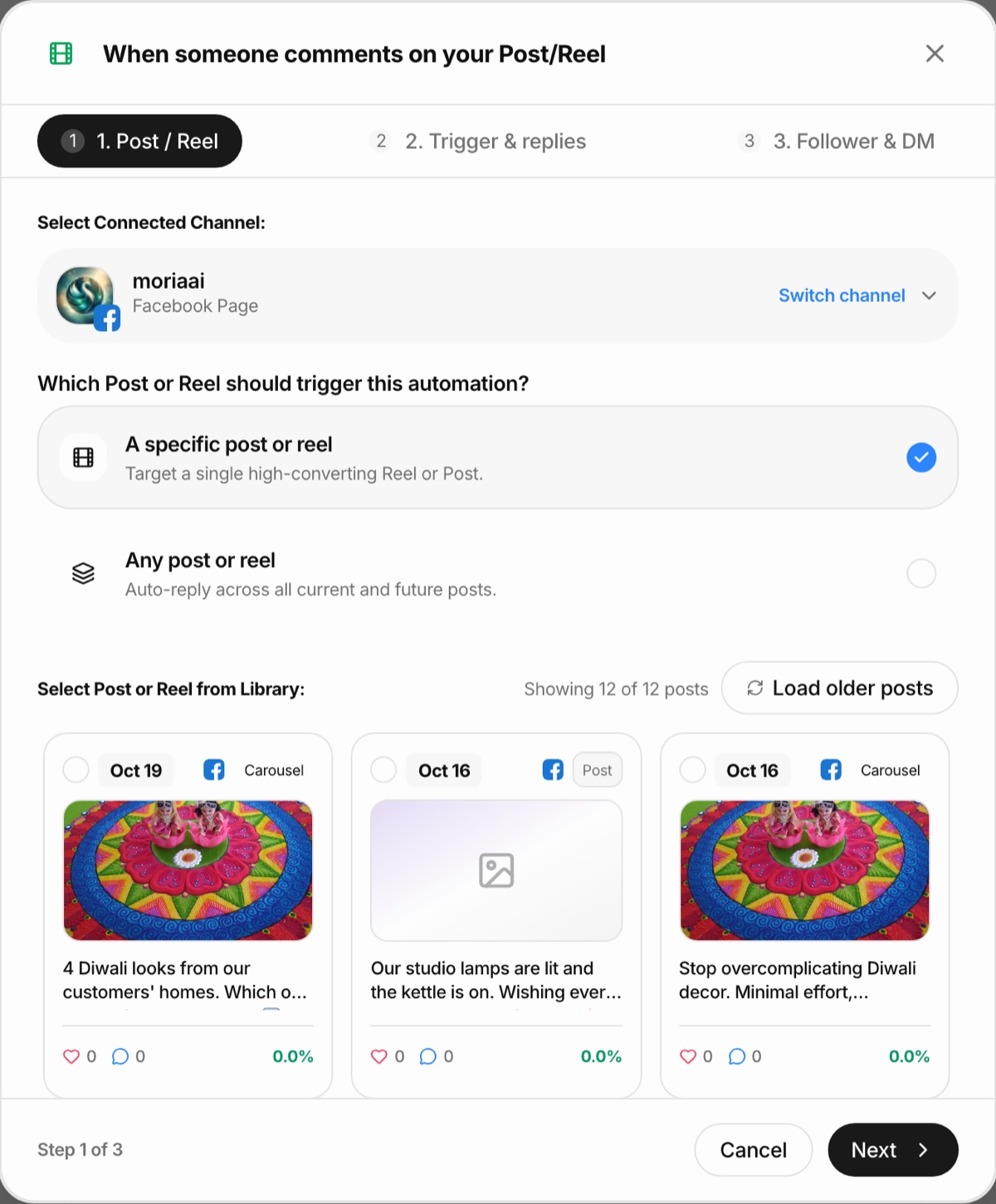
4. Set the trigger and replies
Choose a keyword such as PRICE, MENU or LINK, add excluded keywords if needed, and write a short public reply: "Sent to your inbox! 📩".
5. Write the private message
Thank the person, say in one line what the link is, and add a link button.
6. Switch it on and watch the log
The automation's page shows triggers, DMs delivered and every comment it handled.
From the founder: the screenshot is the real setup screen with our test Facebook Page selected. The same three steps (post, trigger and replies, DM) work for Instagram, so one routine covers both. Pushpendra Singh Rathor, founder of Foxli
Meta's rules to keep in mind
- One private reply per comment. Each comment can trigger one automatic message.
- Reply within 7 days. Private replies can't be sent to comments older than that.
- 24-hour window. If the person replies to your message, you can continue the conversation for 24 hours from their reply.
- Pages only. Automation works on Facebook Pages, not personal profiles.
Ideas for Facebook comment auto replies
| Keyword | What to send | Business |
|---|---|---|
| PRICE | Price list or catalogue | Shops, boutiques, salons |
| MENU | Menu PDF or ordering link | Restaurants, sweet shops |
| BOOK | Booking link | Clinics, coaches, studios |
| DEMO | Demo video | Software, services |
| GIFT | Festive gift guide | Any seller in festival season |
Tips
- Mention the keyword in the post and in the first comment you pin.
- Keep public replies varied so the thread doesn't look automated.
- Use "Any post" carefully: a specific keyword avoids replying to every comment on every post.
- Follow up personally when someone asks a question in the DM.
AutoDM is included on Foxli's Free plan for Facebook and Instagram. For the full strategy, read the comment-to-DM automation guide and how to automate Facebook Page posts.