
Best Free Pinterest Schedulers in 2026 (Tools Compared)
The best free Pinterest schedulers in 2026 compared, from Pinterest's own scheduler to Foxli, Buffer and Tailwind, with free-plan limits, paid prices and who each one suits.


The best free Pinterest scheduler depends on how much you pin. For an occasional Pin, Pinterest's own scheduler is enough. For a regular plan across Pinterest and other platforms, Foxli and Buffer have the most useful free plans. If Pinterest is your main traffic source and you can pay, Tailwind has the deepest Pinterest-only features.
Below we compare the free limits, paid prices and strengths of each tool, so you can pick one in a few minutes.
Free limits and prices checked on 18 October 2026 on each tool's official pricing page, in US dollars unless noted. They change often, so confirm before you sign up.
Free Pinterest schedulers at a glance
| Tool | Free plan | Pinterest features | Paid from | Best for |
|---|---|---|---|---|
| Pinterest (native) | Free with a business account | Schedule single Pins a few weeks ahead | Free | Occasional pinners |
| Foxli | 3 channels, 10 posts per channel a month | Image and video Pins, board picker, calendar | ₹99 (about $1.20) per channel/mo | Creators and small brands on several platforms, especially in India |
| Buffer | 3 channels, 10 scheduled posts per channel at a time | Pins to business and personal accounts | $5 per channel/mo | Simple queue-based scheduling |
| Tailwind | Small free allowance (about 5 posts a month) | SmartSchedule, Pin design, Pinterest SEO, Turbo Pins | $17.99/mo yearly | Bloggers and shops where Pinterest drives most traffic |
| Later | No free plan (14-day trial) | Visual planner, Pinterest auto-publishing | $18.75/mo yearly | Visual planners who also run Instagram |
Sources: Foxli pricing, Buffer pricing, Tailwind pricing, Later pricing.
1. Pinterest's native scheduler
Pinterest business accounts can schedule Pins without any tool. When you create a Pin, choose Publish at a later date, pick the date and time, and save.
Limits to know:
- It works only a few weeks ahead (about 30 days, according to Pinterest's help docs).
- Only a small number of Pins can be scheduled at once.
- You schedule one Pin at a time, with no bulk upload or calendar view.
- It covers Pinterest only, so your other platforms need another tool.
Pick it if you add a few Pins a week and only use Pinterest.
2. Foxli
Foxli is a social media scheduler for Pinterest, Instagram, Facebook, YouTube, LinkedIn, X and Threads. You write a post once, then publish it as a Pin and as posts on your other channels from the same composer.
For Pinterest specifically:
- Schedule image and video Pins through Pinterest's official API.
- Foxli imports your boards. You choose the active board for each Pinterest account on the Channels page, and can create a new board or switch boards any time.
- See every Pin next to your other posts on a drag-and-drop calendar, with Indian festival dates marked.
- Use the AI assistant to draft Pin titles and descriptions with keywords.
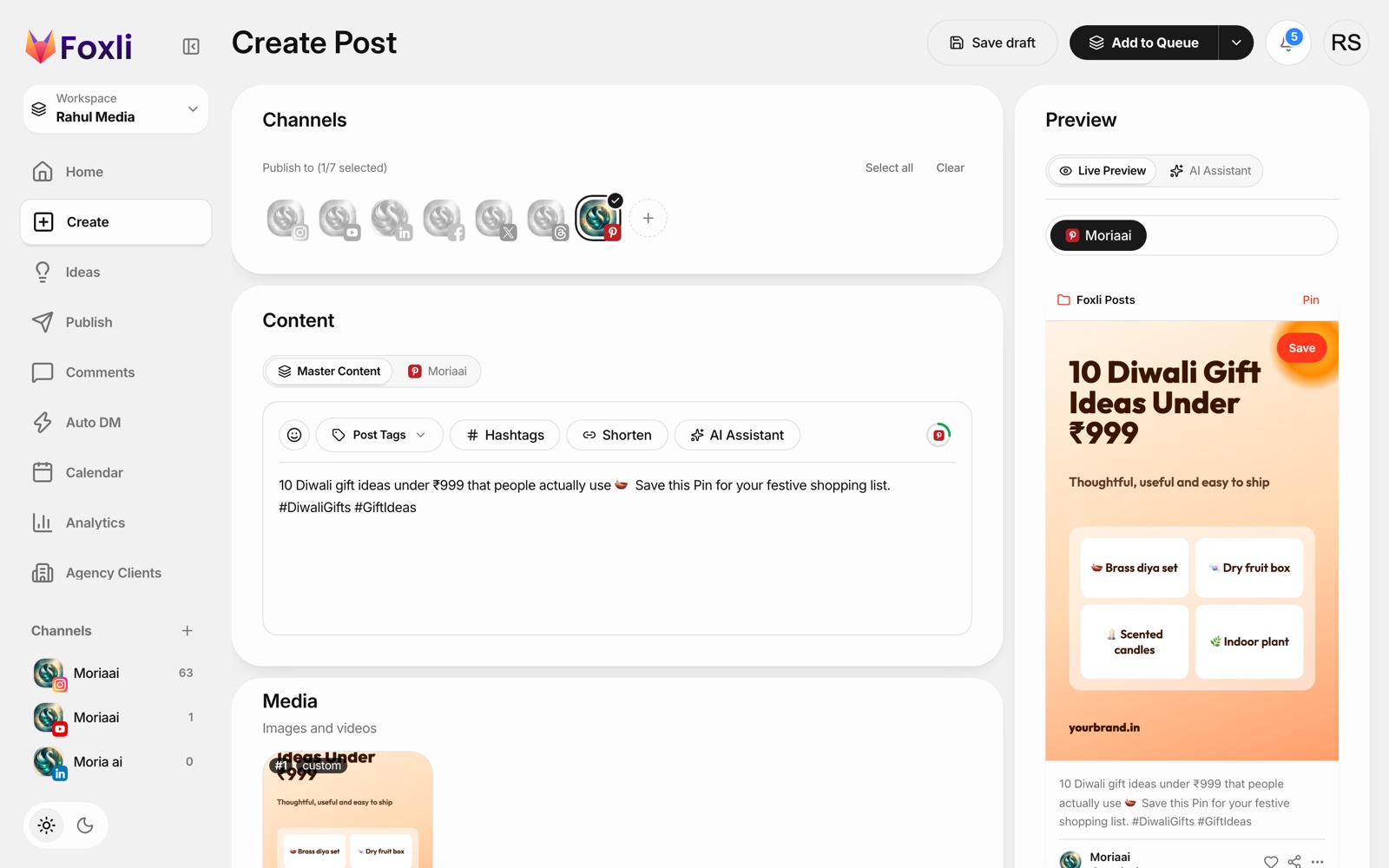
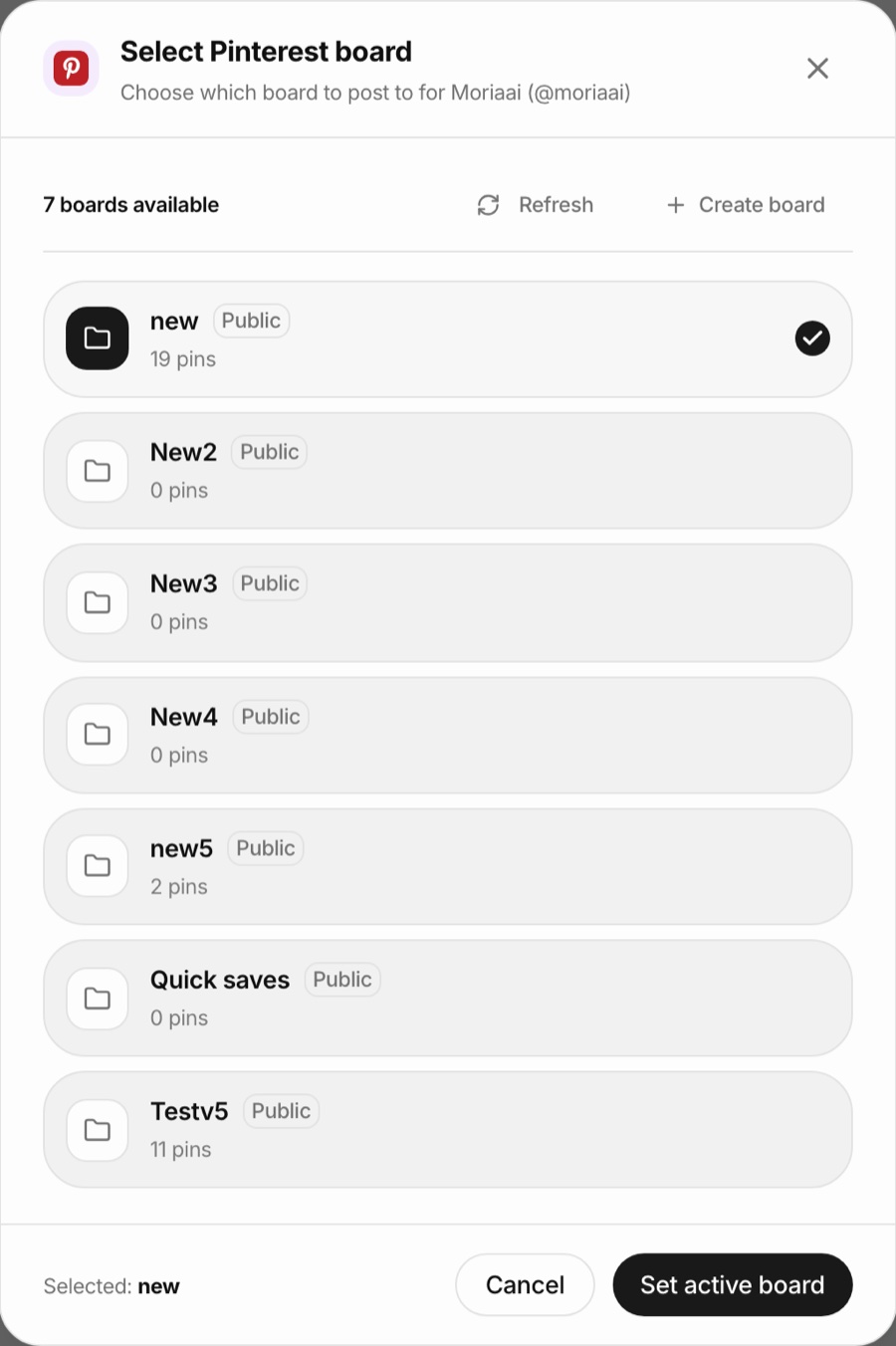
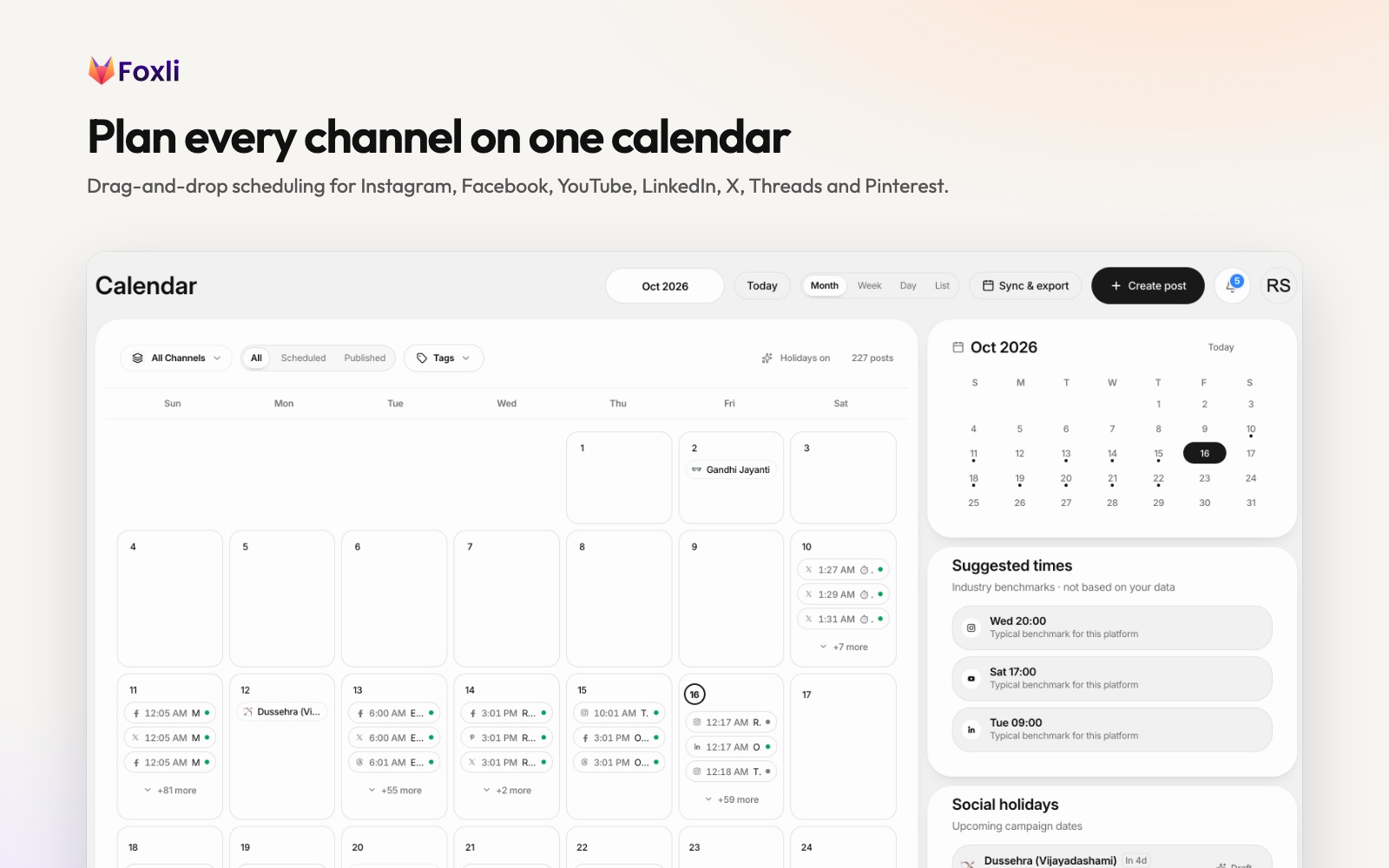
From the founder: when I connected our own Pinterest test account, Foxli imported all 7 of its boards with their pin counts, and switching the active board took two clicks. Pushpendra Singh Rathor, founder of Foxli
Free plan: 3 social accounts and 10 posts per channel each month, with 20 AI credits. Paid plans are priced per channel, from ₹99 (about $1.20) a month, with unlimited posts.
Limits: Foxli has no Pinterest-specific SEO research or Turbo Pin-style promotion like Tailwind, and each Pinterest account publishes to one active board at a time (you can switch it on the Channels page).
Pick it if Pinterest is one of several platforms you post to and you want the lowest price per channel.
3. Buffer
Buffer is a long-running, simple scheduler. Its free plan connects 3 channels, each with up to 10 scheduled posts at a time. When a post publishes, the slot opens again. Pinterest is supported for both business and personal accounts.
Paid plans are per channel: Essentials is $5 a month and Team $10 a month, with two months free on yearly billing.
Pick it if you like a queue-based workflow and post to a few channels.
4. Tailwind
Tailwind is an official Pinterest partner and has been building for Pinterest since 2012. It goes far beyond scheduling:
- SmartSchedule picks posting times and spaces your Pins out.
- Tailwind Create designs Pins from your images or website.
- Pinterest SEO tools track keywords.
- Turbo Pins boost engagement.
There is a free plan, but it is small: Tailwind's own blog says it allows about 5 posts a month. Paid Pin Scheduling & Creation costs $17.99 a month billed yearly ($29.99 monthly), and SEO and engagement are sold as add-ons.
Pick it if Pinterest is your main source of traffic, for example for a food blog, a DIY channel or an Etsy shop.
5. Later
Later is a visual planner known for Instagram, and it publishes to Pinterest on all plans. There is no free plan, only a 14-day trial. Starter is $18.75 a month billed yearly, with 30 posts per profile each month.
Pick it if you plan visually around Instagram and want Pinterest in the same calendar.
How to choose a Pinterest scheduler
- Count your Pins. Fewer than 10 a month? Pinterest's native scheduler or any free plan works.
- Count your platforms. If you also post on Instagram, LinkedIn or YouTube, choose a multi-platform tool so you only learn one workflow.
- Decide whether Pinterest SEO matters. If Pinterest search is your main growth channel, Tailwind's research tools are worth paying for.
- Compare cost per channel. For small teams and creators in India, per-channel pricing in rupees is usually far cheaper than per-user plans in dollars.
Tips to get more from scheduled Pins
- Create fresh Pins. Pinterest favours new images and videos over repinning the same image.
- Write keyword-rich titles and descriptions. Pinterest is a search engine; describe what the Pin shows in the words people type.
- Use vertical images (2:3) and short vertical videos.
- Pin to the most relevant board first, and keep boards focused on one topic.
- Post consistently. A steady few Pins a day beats 50 Pins once a month.
- Plan seasonal Pins early. People search Pinterest weeks before an event, so pin Diwali, wedding-season and Christmas ideas 30–45 days ahead.
Start scheduling Pins for free
If you want one calendar for Pinterest and the rest of your social media, try Foxli's free Pinterest scheduler. It takes about two minutes to connect your account and schedule your first Pin. For other platforms, see our guide on how to schedule Threads posts, or compare plans on the pricing page.