
How to Schedule Tweets and X Threads for Free (Desktop and Mobile)
How to schedule tweets and X threads for free in 2026, on desktop and mobile, with X's own scheduler and free tools, plus what each option can and can't do.


To schedule a tweet, write it in the composer on x.com, click the calendar (Schedule) icon, pick a date and time, and confirm. Scheduling a full thread is harder: X's own scheduler doesn't handle threads reliably, so you either use a tool that supports threads or schedule the first post and add the replies when it goes live.
Here's what works in 2026 on desktop and mobile, and the honest limits of each option.
Method 1: Schedule a tweet with X's built-in scheduler (desktop)
- Go to x.com on a computer and click Post.
- Write your post (up to 280 characters on a standard account) and add media.
- Click the calendar icon (Schedule) below the text box.
- Pick the date, time and time zone, then click Confirm.
- Click Schedule.
To see or edit scheduled posts, open the composer, click Drafts/Unsent posts, then Scheduled.
Limits to know:
- Scheduling is on desktop web only; the mobile app doesn't offer it reliably.
- Threads often can't be scheduled as one unit.
- Availability has changed: some reports say the Schedule button now needs X Premium on some accounts. If you don't see it, use a tool.
- No calendar view, no queue and no other platforms.
How to schedule an X thread
You have three options:
| Option | How it works | Good for |
|---|---|---|
| Thread-focused tools (e.g. Typefully, Hypefury) | Write the whole thread, schedule it as one unit | People who post threads every week |
| Schedule the first post, reply live | Schedule post 1 in any scheduler; add the replies when it goes live | Occasional threads |
| Write it as one long post | X Premium allows longer posts | Premium subscribers |
Thread tips that work:
- Make the first post stand alone: it decides whether anyone opens the thread.
- Number the posts ("1/6") so people know how long it is.
- End with a summary and one clear ask: follow, reply or visit a link.
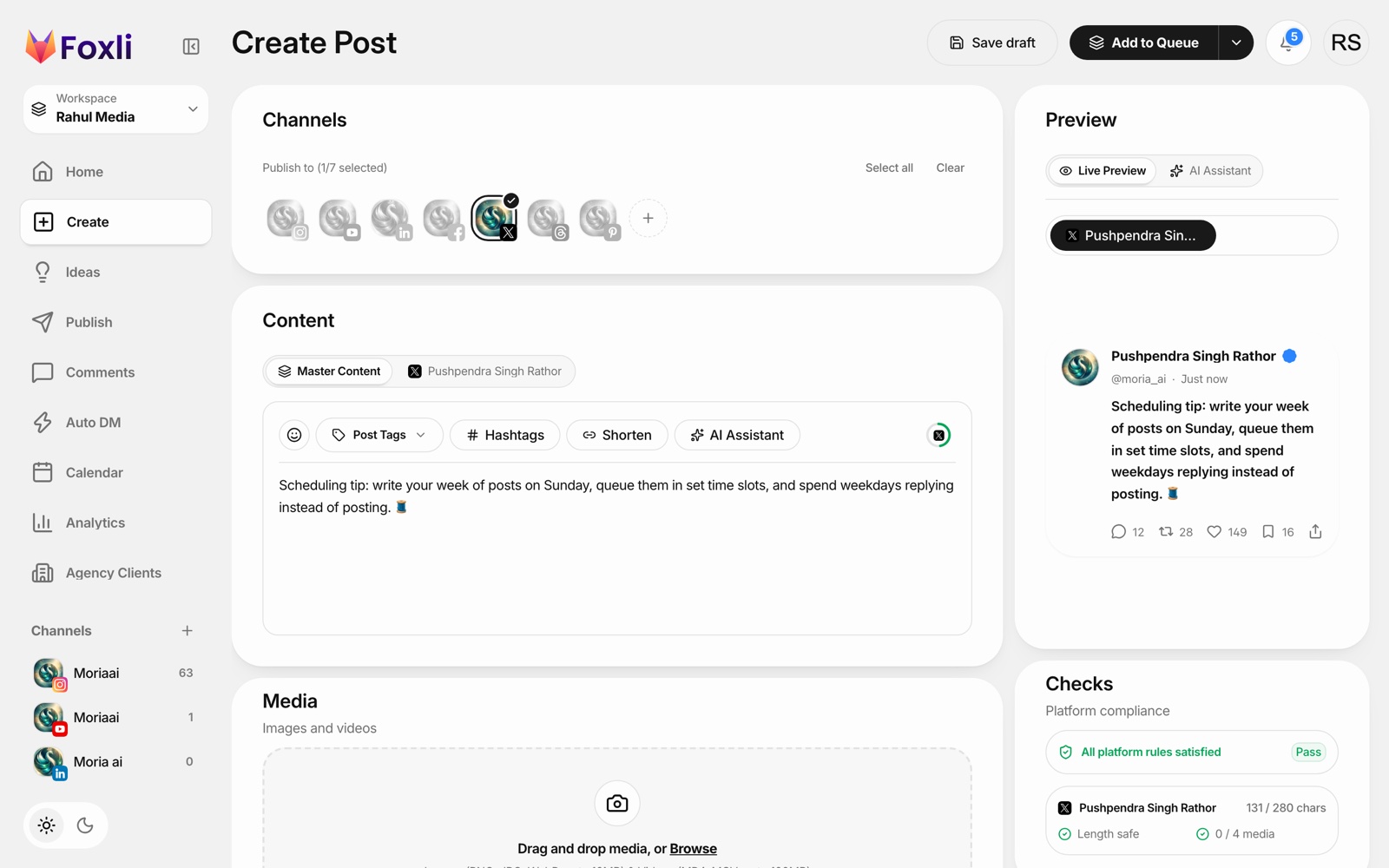
Method 2: Schedule tweets with Foxli (free)
Foxli schedules single X posts with text, images or video through X's official API. It does not schedule multi-post threads yet; if threads are your main format, use a thread-focused tool.
Where Foxli helps is when X is one of several platforms:
- Connect X in Channels using X's official login (Foxli never sees your password).
- Create a post, click Clear and select your X account, or keep other channels selected to publish the same idea everywhere.
- Check the limits. The Checks panel counts characters against 280 and media against X's limit of 4.
- Schedule with Schedule Post, or use Add to Queue for your next free slot.
From the founder: Foxli schedules single X posts only for now, and our feature page says so too. If threads are your main format, a thread-first tool is the honest recommendation. Pushpendra Singh Rathor, founder of Foxli
Free plan: 3 social accounts and 10 posts per channel each month. Paid plans start at ₹99 (about $1.20) per channel a month. See the X scheduler.
Scheduling tweets from your phone
- Browser trick: open x.com in Chrome or Safari, switch to desktop site, and use the Schedule icon.
- Use a web-based scheduler: Foxli runs in your mobile browser, so you can write and schedule from your phone.
Tips for scheduled tweets
- Schedule for your audience's time zone. For Indian audiences, mornings (8–10 AM IST) and evenings (7–10 PM IST) are common starting points.
- Leave room for live posts. Scheduled posts are the base; reacting to news is still manual.
- Don't repeat the same text. X treats identical repeated posts as spam.
For other platforms, see how to schedule Threads posts and Threads auto post.