
How to Schedule Instagram Posts from PC or Laptop (Free)
How to schedule Instagram posts, Reels and carousels from a PC or laptop for free, using Meta Business Suite or a free scheduler, with steps, limits and tips.


To schedule Instagram posts from a PC or laptop, use Meta Business Suite in your browser or a free scheduler like Foxli. Both let you upload images, Reels and carousels from your computer, write the caption with a proper keyboard, and pick a time. You need an Instagram Business or Creator account.
Method 1: Meta Business Suite (free)
- Go to business.facebook.com and choose your business.
- Click Create post (or Create reel).
- Select your Instagram account (and Facebook Page if you want both).
- Upload your photos or video from your PC and write the caption.
- Under Scheduling options, choose Set date and time, pick when it should go live, and click Schedule.
Limits: it works best when Instagram is linked to a Facebook Page, it covers only Instagram and Facebook, and there's no queue of time slots.
Method 2: Foxli (free)
- Connect Instagram in Channels using Instagram's official login. A Facebook Page isn't required.
- Open Create, click Clear and select your Instagram account.
- Upload from your PC: a single image, a carousel or a Reel.
- Write the caption. The live preview shows how it will look on Instagram, and the Checks panel flags problems before you schedule.
- Schedule Post for an exact time, or Add to Queue to fill your next slot.
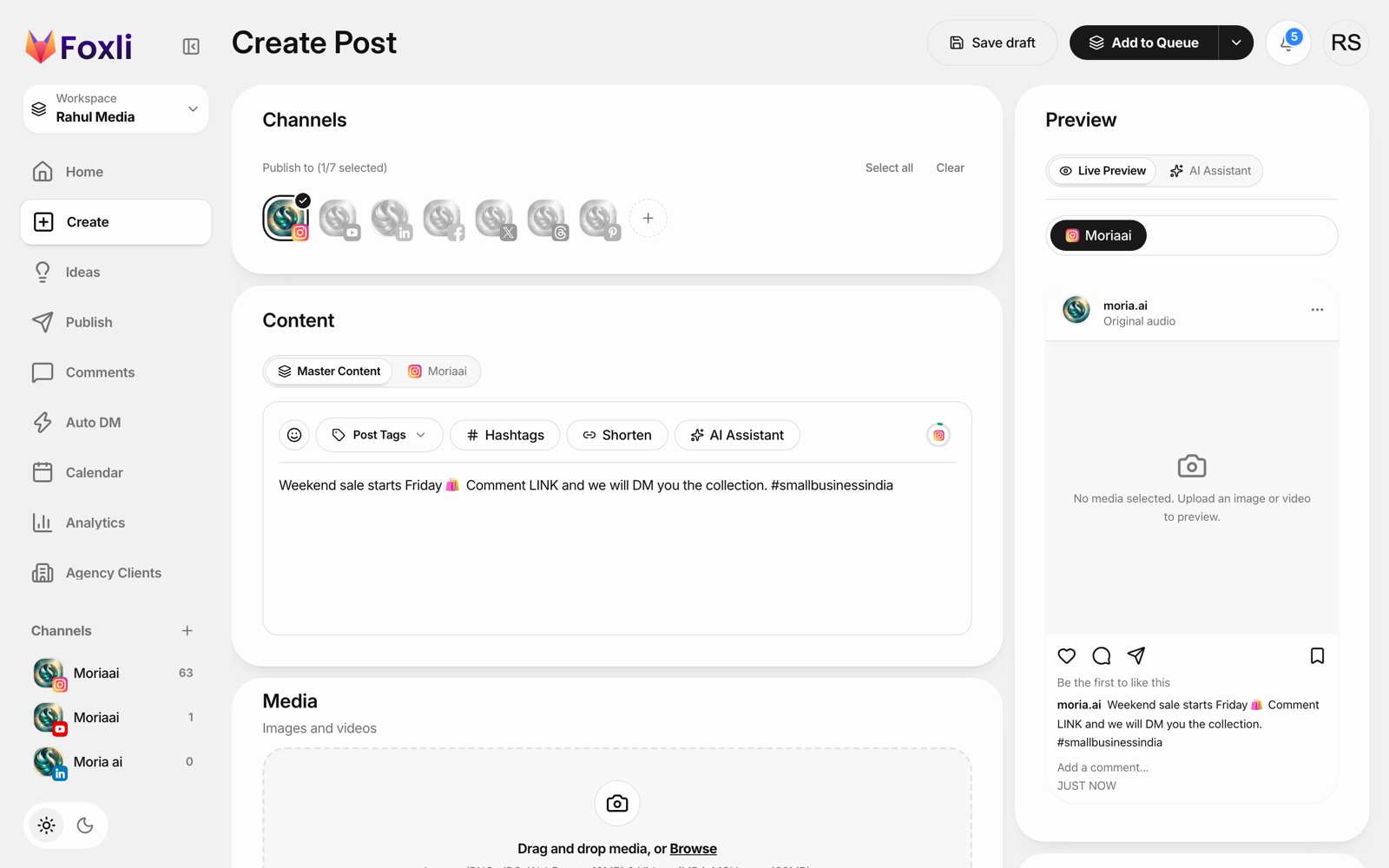
Bonus: the caption in this screenshot asks people to "Comment LINK". With Foxli's AutoDM, everyone who comments gets the link in their DMs automatically.
From the founder: writing captions on a laptop is simply faster, and the side-by-side preview means you see the "...more" cut-off before you post. Pushpendra Singh Rathor, founder of Foxli
See the Instagram scheduler for details. Free plan: 3 accounts and 10 posts per channel each month; paid plans from ₹99 per channel a month.
Can you schedule carousels and Reels from PC?
| Format | Meta Business Suite | Foxli |
|---|---|---|
| Single image | ✅ | ✅ |
| Carousel | ✅ | ✅ |
| Reel | ✅ | ✅ |
| Same post to LinkedIn, X, YouTube, Threads, Pinterest | ❌ | ✅ |
| Queue time slots | ❌ | ✅ |
| Comment-to-DM automation | ❌ | ✅ (AutoDM) |
Tips for scheduling Instagram from your laptop
- Export Reels in 9:16 (1080 × 1920) and carousels in 4:5 (1080 × 1350) for the most screen space.
- Write the first line as a hook. Instagram cuts the caption after about two lines.
- Schedule in IST for Indian audiences; evenings (7–10 PM) are a common starting point, but check your own Insights.
- Keep hashtags relevant. A few specific hashtags beat 30 generic ones.
- Reply after it goes live. Scheduling handles posting; comments still need you.
Also see how to schedule YouTube Shorts and Instagram auto DM for free.