
Threads Auto Post: How to Automate Posting to Threads (Without Getting Flagged)
How to auto post to Threads safely in 2026, using the official Threads API instead of bots, with a weekly queue workflow, limits to know and what to avoid.


You can auto post to Threads safely by using a scheduler that publishes through Meta's official Threads API. You connect your account once, line up posts in a queue or on a calendar, and the tool publishes each one at its time. What gets accounts flagged is the other kind of automation: password-sharing bots, scripts that click through the app, and mass follow or reply tools.
This guide explains the difference, shows a simple weekly auto-posting workflow, and lists the limits you should stay within.
Official API vs bots: why it matters
| Official Threads API (safe) | Bots and scripts (risky) | |
|---|---|---|
| How it connects | You approve access on Meta's own login screen | Asks for your password or runs a fake browser |
| What it can do | Publish posts, replies and carousels you created | Anything, including spammy follows and likes |
| Rate limits | Clear, published limits | None, until Meta detects it |
| Account risk | Very low | Restrictions, locked accounts, bans |
| Examples | Foxli and other approved schedulers | "Threads growth bots", GitHub scripts using your login |
If you search for "threads auto post github", you'll find scripts. Some use the official API with your own developer app, which is fine if you can maintain it. Others log in as you, which breaks Meta's terms. If you're not a developer, a scheduler is the safer and easier route.
What the Threads API lets tools do
According to Meta's Threads API documentation, approved tools can:
- Publish text posts (up to 500 characters), images, videos and carousels (up to 10 items).
- Publish up to 250 posts and 1,000 replies per profile in a 24-hour window.
- Read basic insights for your posts.
They can't follow people, like posts or send DMs for you, and a good tool won't try.
How to auto post to Threads with a queue (step by step)
A queue is the simplest form of automation: you set your time slots once, then every post you add drops into the next free slot. Here's how it works in Foxli.
1. Connect Threads
Go to Channels, add Threads and approve access on Meta's screen. Foxli never sees your password.
2. Set your posting times
In Publish, open the queue's Queue Posting Schedule and add your time slots, for example 9:00 AM and 7:00 PM IST on weekdays. These are the times your posts will go out.
3. Write a batch of posts
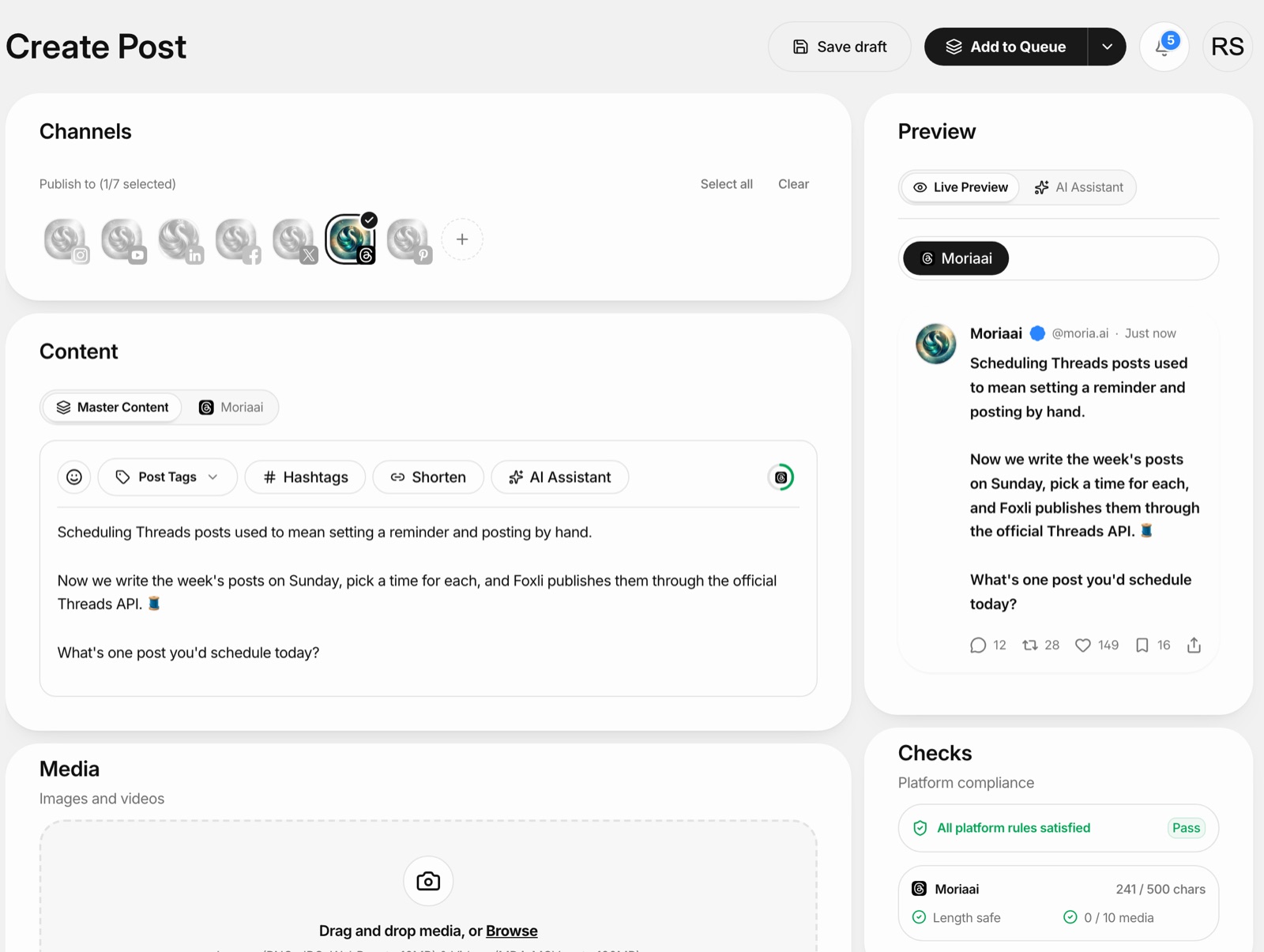
Open Create, select your Threads channel and write the post. The composer checks your character count against the 500 limit and shows a live Threads preview.
4. Add to Queue
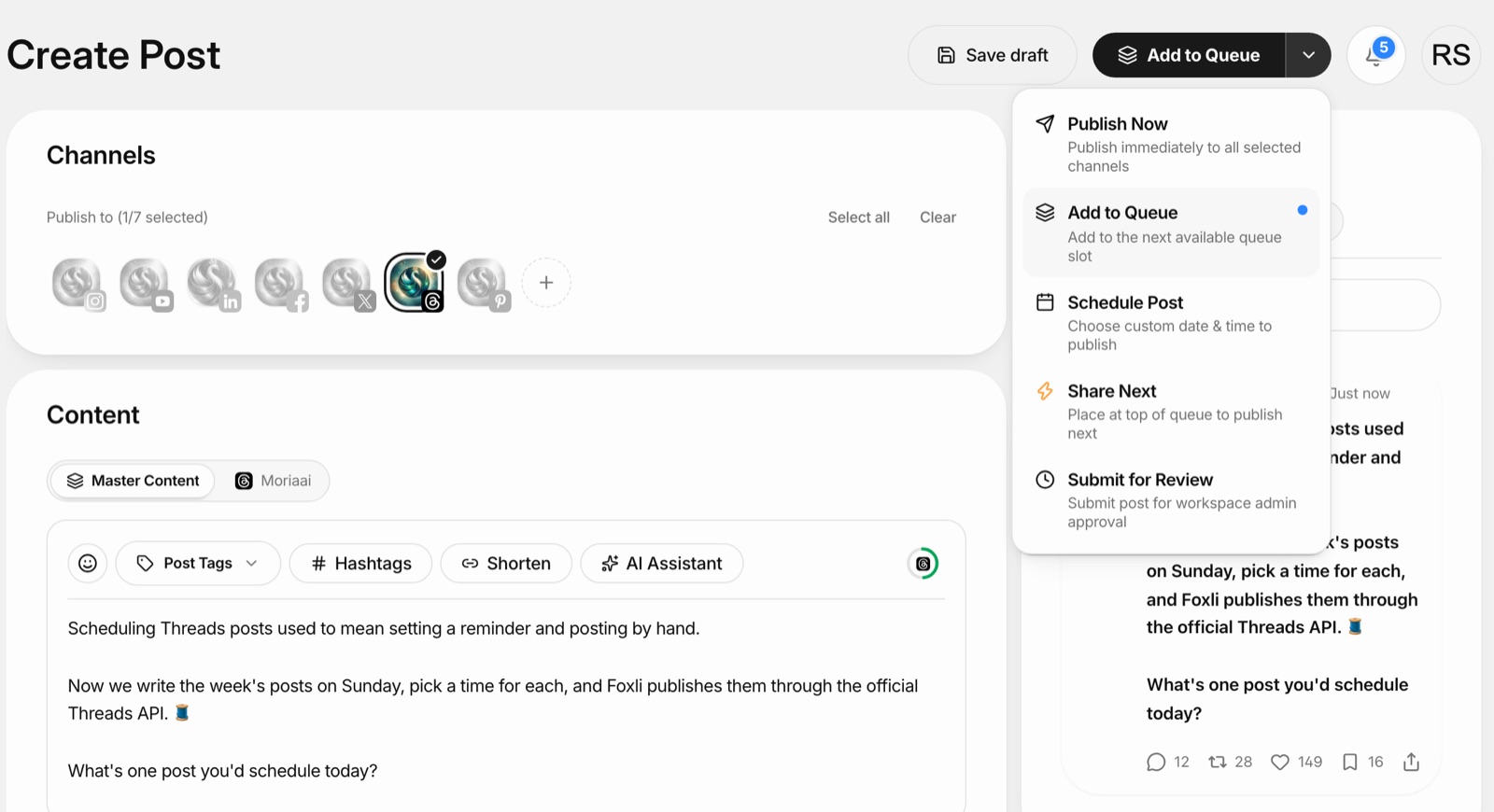
Click Add to Queue. The post takes the next free slot. Repeat for the rest of the week. Need something out first? Use Share Next to put it at the top of the queue, or Schedule Post to pick an exact time.
5. Let it run, and reply yourself
Posts publish automatically. Your job is the part automation shouldn't do: reading replies and answering people.
From the founder: we built Foxli's Threads publishing only on the official API, with no password logins or engagement bots, because a scheduler should never put your account at risk. Let the queue handle the timing, and keep replies a human job; that's where the real conversations on Threads happen. Pushpendra Singh Rathor, founder of Foxli
For one-off posts with a specific time, see our guide on how to schedule Threads posts.
Auto posting rules that keep your account safe
- Never share your password with any tool. Official connections always go through Meta's login screen.
- Avoid follow, like and reply bots. Mass engagement automation is the fastest way to get restricted.
- Don't post the same text again and again. Repeating identical posts looks like spam. Rewrite or add something new.
- Keep a human rhythm. A few good posts a day beats 50 automated ones.
- Check links and media before queueing. A broken link sitting in a queue can go out to your followers.
Threads auto post ideas that work
- Daily tip series: one short, useful tip each morning, queued for the week.
- Repurposed content: turn a LinkedIn post, Reel script or blog section into a 3–5 post Threads series.
- Questions: "What's one tool you couldn't run your business without?" Open questions get replies.
- Behind the scenes: quick updates on what you're building or learning.
- Festive and seasonal posts: queue Diwali, New Year and sale posts ahead of time so you're not working on the day.
Post to Threads and other platforms at once
Because Threads and Instagram are separate posts, many creators copy and paste between them. In Foxli you can select Threads, Instagram, LinkedIn, X, Facebook, YouTube and Pinterest in one post, then adjust the text for each platform before it goes into the queue.
Try Foxli's Threads scheduler for free: connect up to 3 accounts and schedule 10 posts per channel each month on the Free plan. See pricing for unlimited posts.